Browse the week's repertory bill, sit in the lobby of any screening you're tempted by, and see who else is hovering there. Tap a shoulder, and if they tap back, you get a quiet 1:1 chat to sort out a seat. No account. No password. Nothing to install.
Step the box office
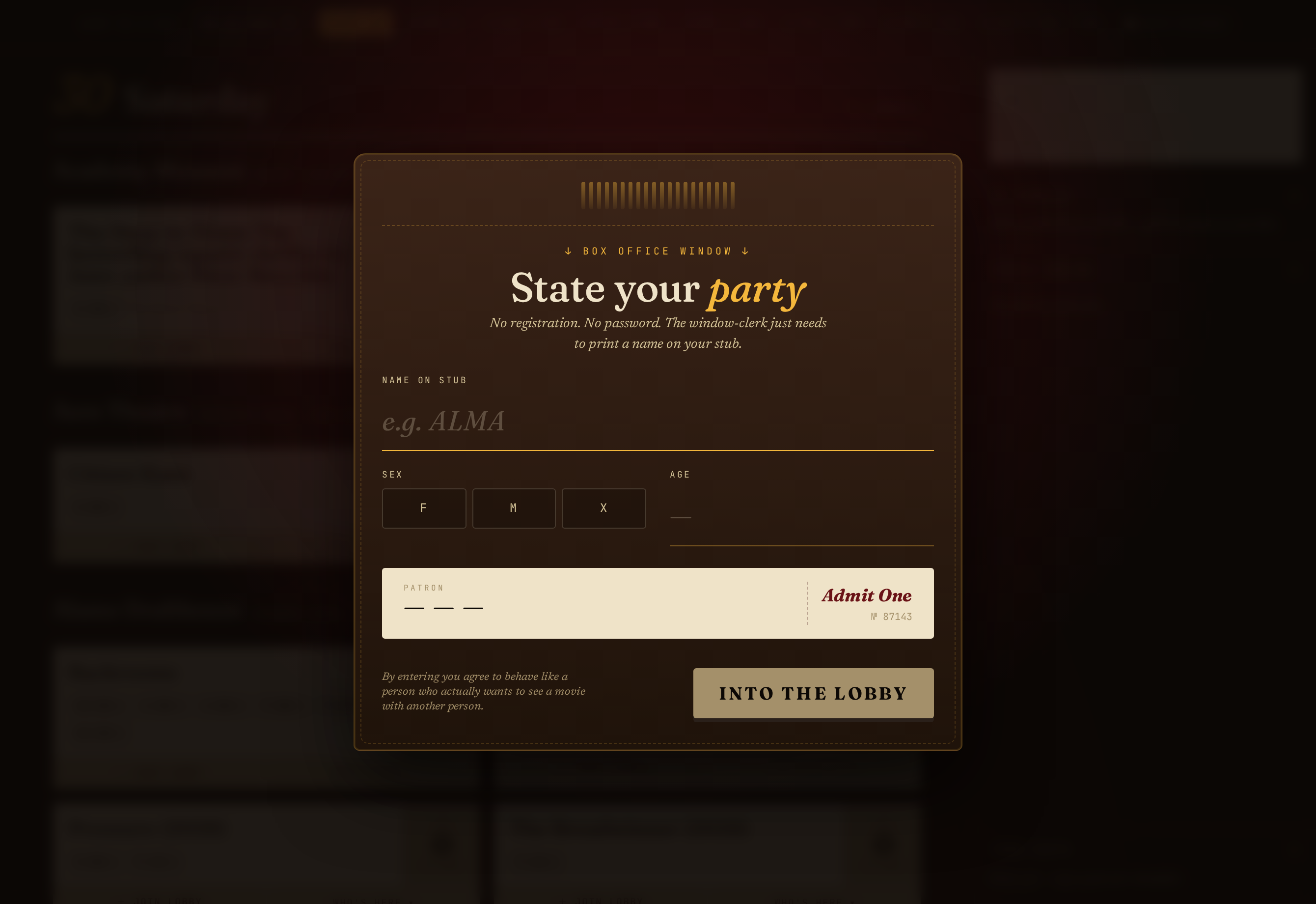
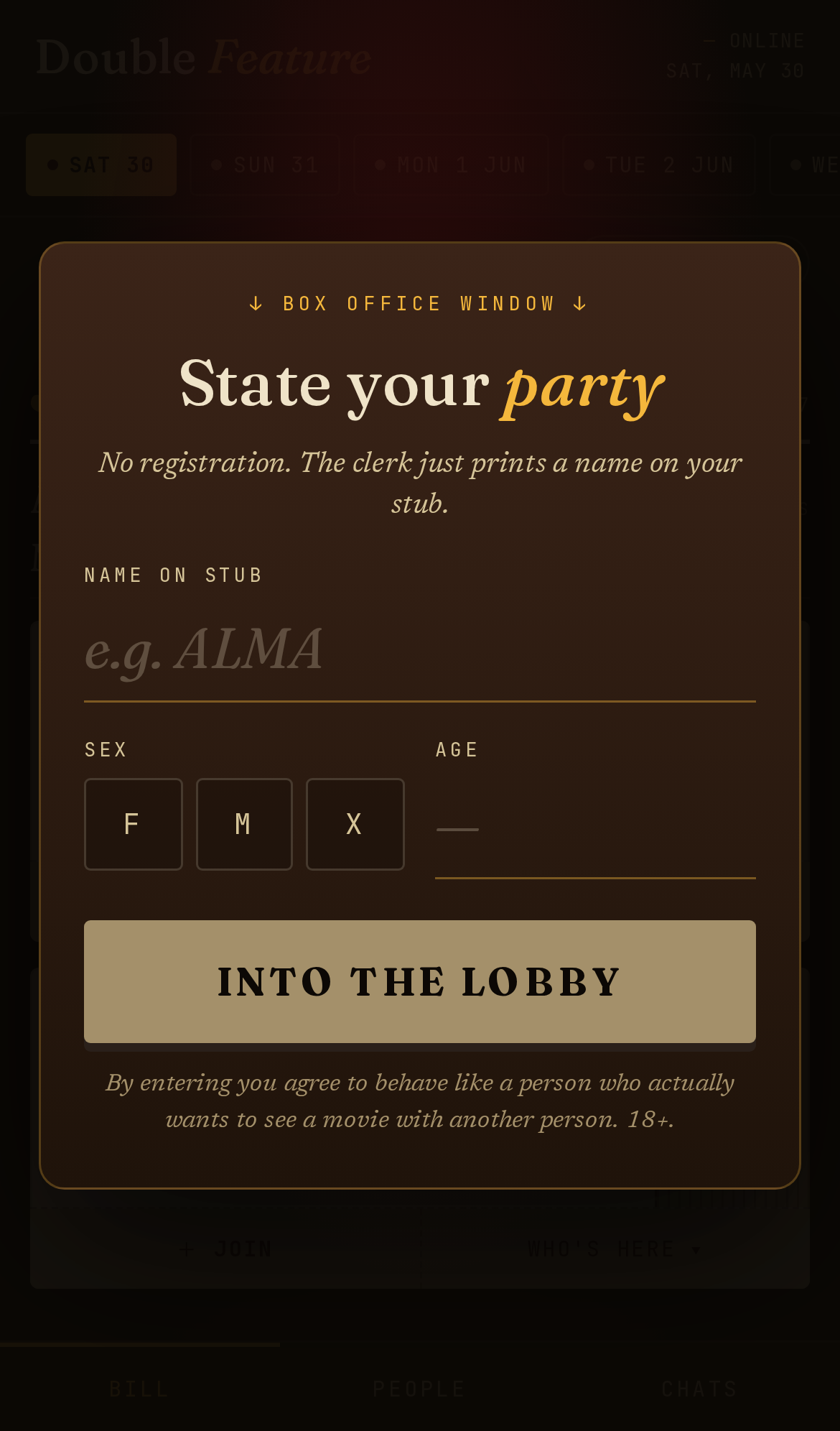
There's no sign-up. When you arrive, the box office just prints a name on your stub: pick a name, your sex (F / M / X), and your age. That's it — you're in the lobby.
- The name is whatever you want shown to others — a first name, a handle, anything.
- Age is 18+ only, and it's checked on the server, not just the form.
- No email, no phone number, no verification.
Read the bill
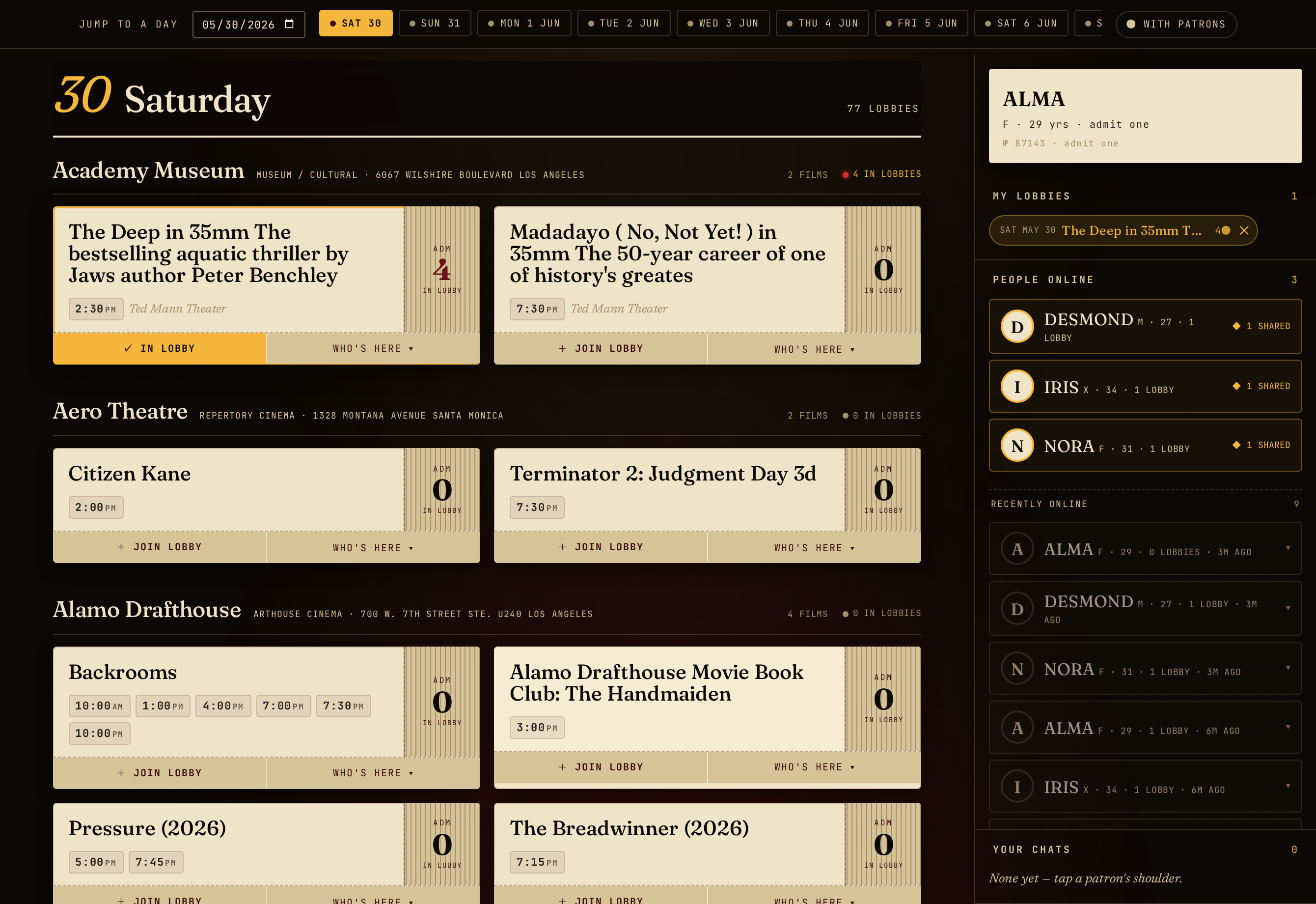
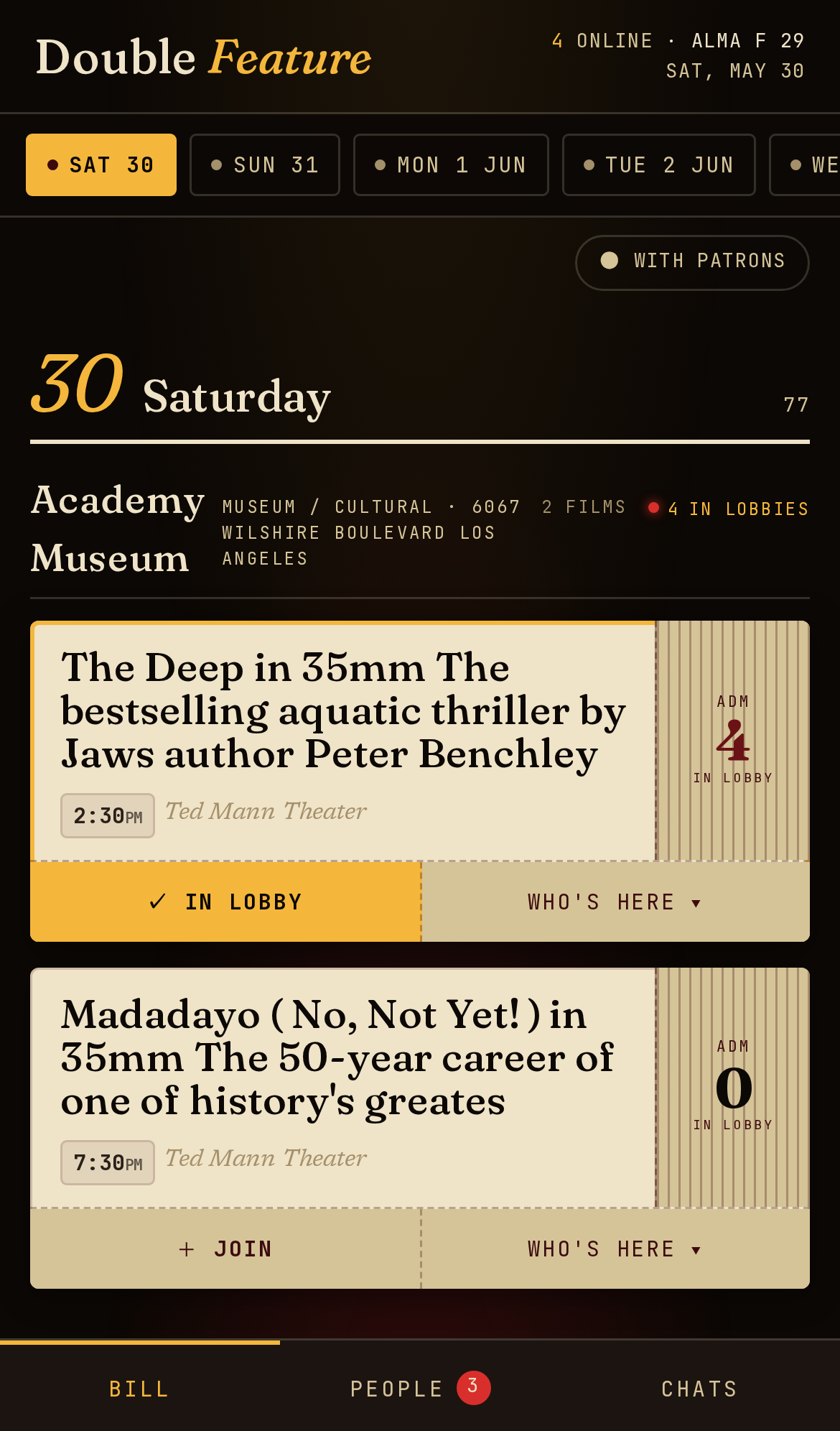
The main screen is the bill — the week's repertory and arthouse screenings across Los Angeles, grouped by day and by theater. Jump between days with the day strip up top, and flip on “With patrons” to show only the lobbies that already have someone in them.
The masthead keeps a running count of how many patrons are online and how many lobbies are posted right now.
Sit in a lobby
Every screening has a lobby — a little waiting room for people who might want to see that picture with someone. Hit “+ Join lobby” on any screening to take a seat. You can sit in as many lobbies as you like at once; think of it as raising your hand for several films.
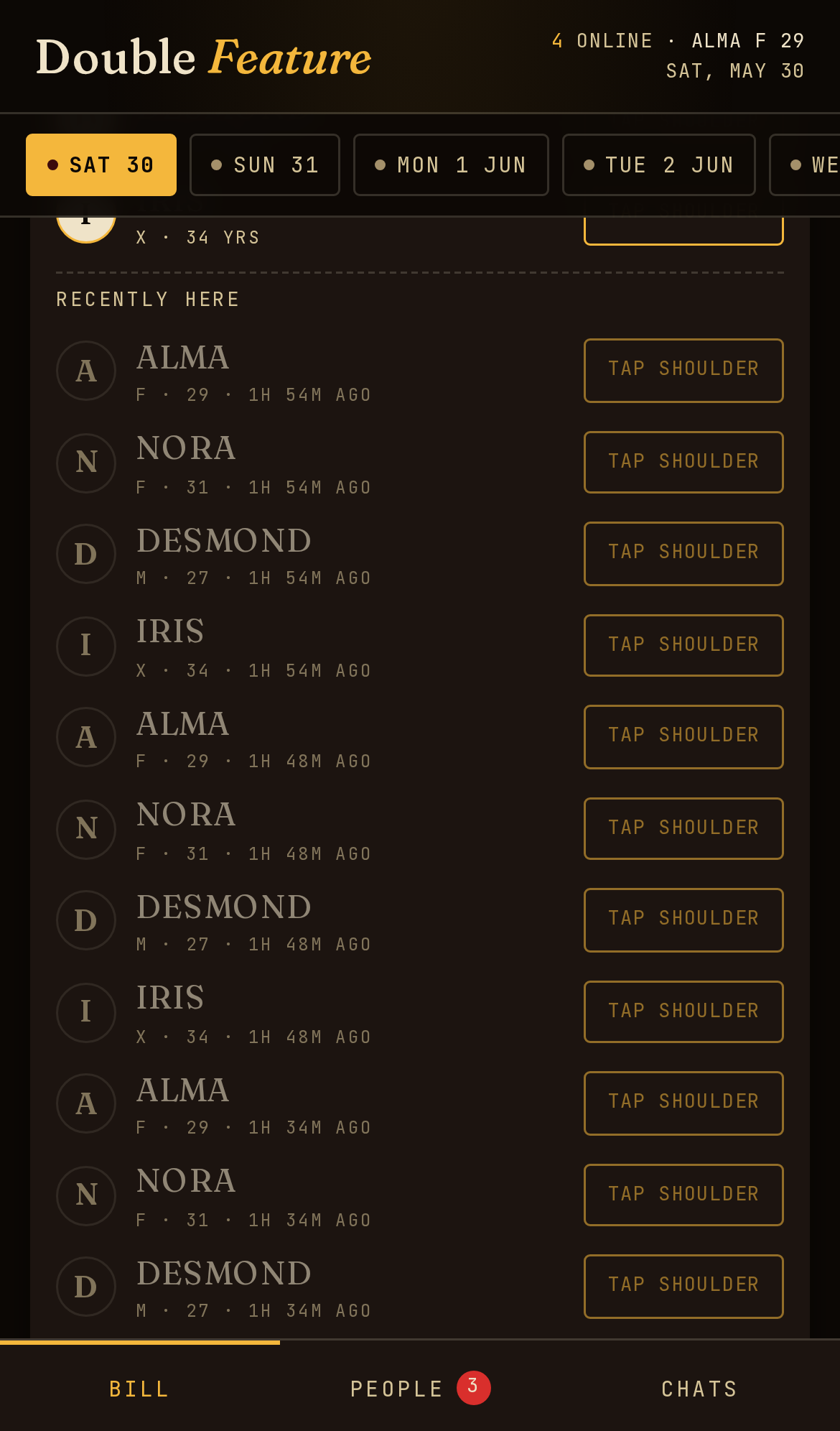
On desktop, your joined lobbies show up in the right-hand rail. On a phone, they live under the People tab.
See who's here
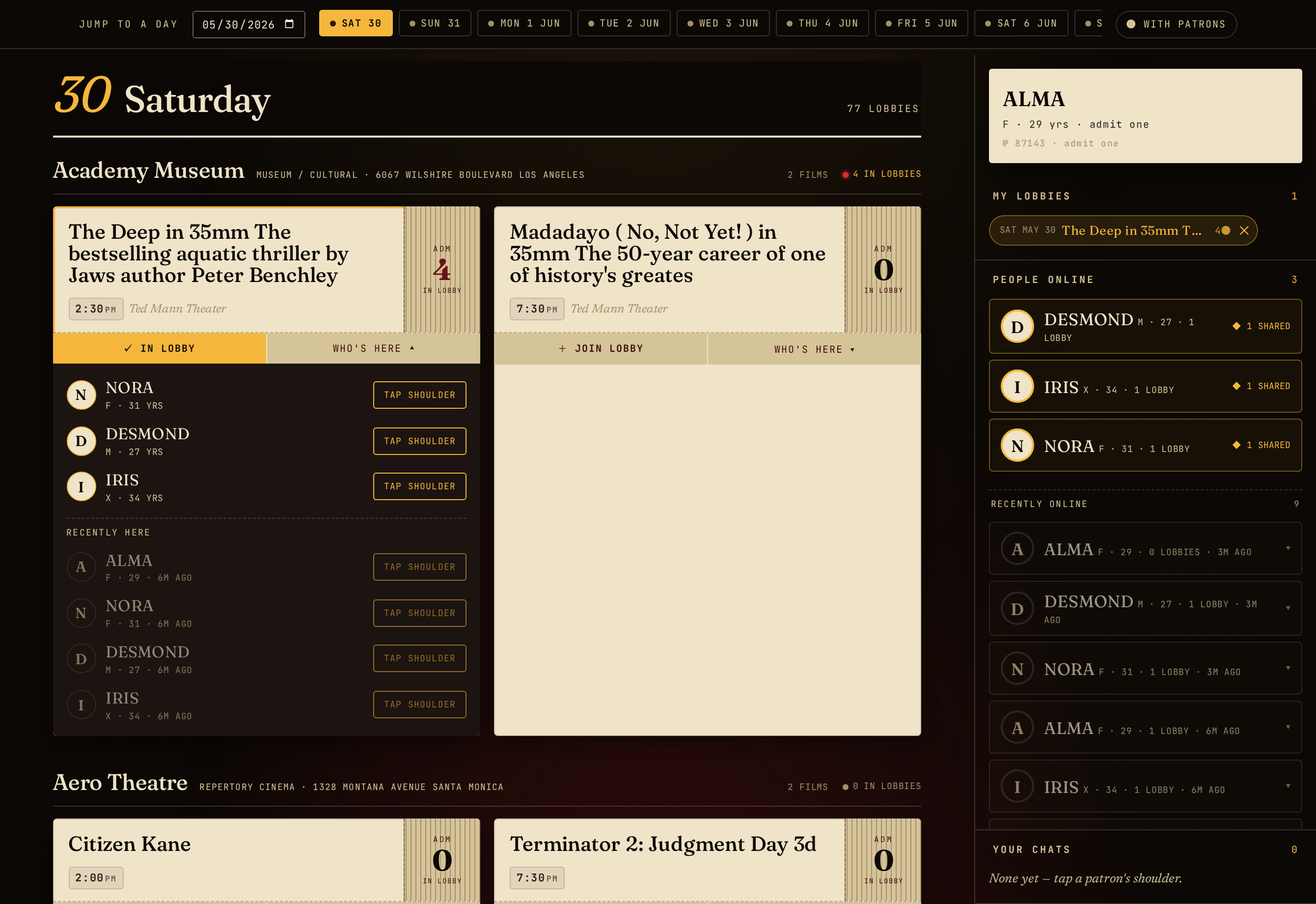
Tap “Who's here” on a lobby to see the other patrons in it — their name, sex and age, and how many other lobbies they're sitting in. People who were here recently but have stepped away stay listed (greyed out) for a few hours, so you can still reach them.
Tap a shoulder
See someone you'd like to watch the film with? Give them a tap. It's a quiet, private nudge — only they see it. If they tap back, a chat opens between the two of you. If they don't, nothing happens and no one's the wiser.
- Taps work even if the other person has stepped away — they'll see it next time they're back, for up to a day.
- A tap is one-to-one. There's no public “like”, no feed, no follower count.
Sort out a seat
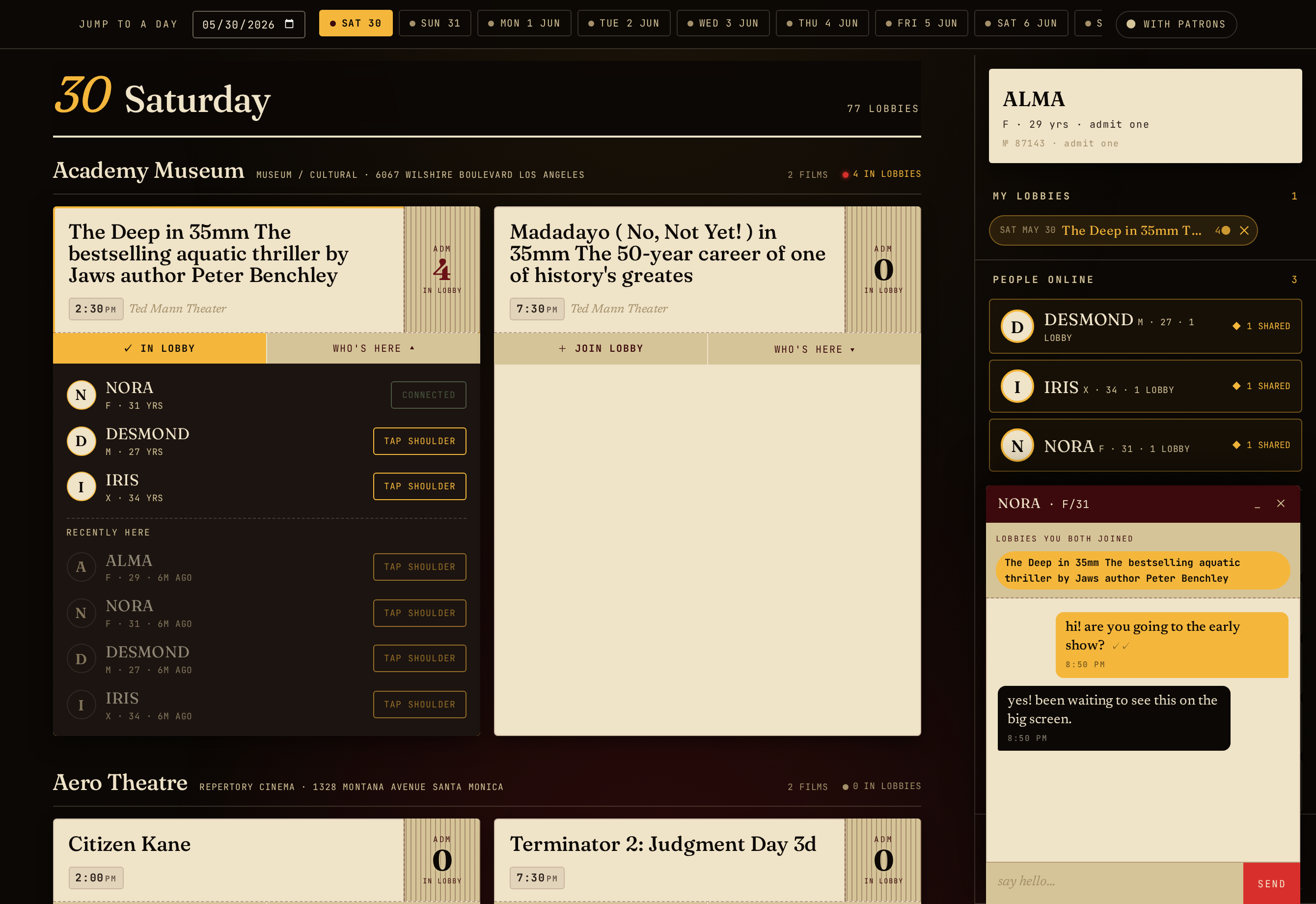
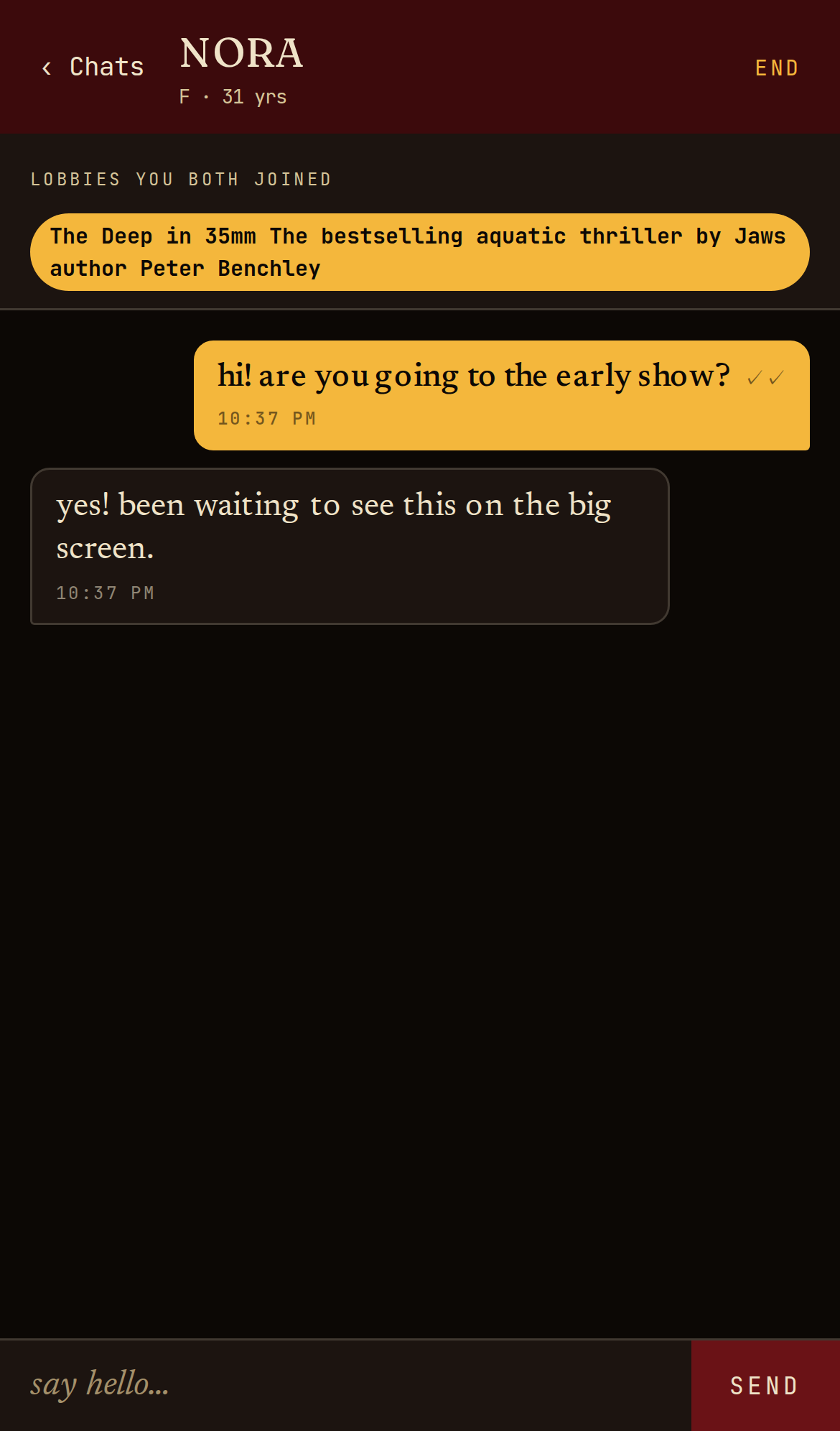
Once you've both tapped, you get a simple 1:1 chat — enough to say hi, pick a showtime, and agree where to meet. The chat shows which lobbies you have in common up top. Messages send instantly when you're both online, and wait for them if they've stepped out.
On desktop the chat docks in the bottom-right corner; on a phone it slides up as a full sheet under the Chats tab.
Your stub & your privacy
Double Feature is deliberately forgetful. There are no accounts and no database of users.
- Your “stub” is held in your browser. Close the tab and come back within 24 hours and you'll pick up your lobbies and chats where you left off; after that it's gone.
- Messages and lobbies live in the server's memory only — a restart wipes them. Nothing is mined, sold, or used to build a profile.
- The only thing ever written to disk is an abuse report (see below), and even then your IP is one-way hashed, never stored in the clear.
House rules
- Show up. If you make a plan, keep it or say you can't.
- Be a person someone would want to see a movie with. Creepiness, harassment, and hard-selling are not the vibe.
- Buy your own ticket. Meet at the marquee; this site doesn't sell admission.
- Everyone is 18+.
- If someone's behaving badly, use Report inside the chat. Reports are logged for review.
Something broken, an idea, or a theater we're missing? We'd genuinely like to hear it.